Notifications
Notification is a message or notification sent by the system or other users to inform about any event, change or action that may be important or interesting.
Functionality:
- The bell icon on the notification bar displays the number of unread notifications;
- When you click on the icon, a pop-up window appears. There are two buttons in the window: «Mark all read»; «All notifications».
- Only the last few unread notifications are displayed;
- When a new notification arrives, a pop-up window appears on the screen.
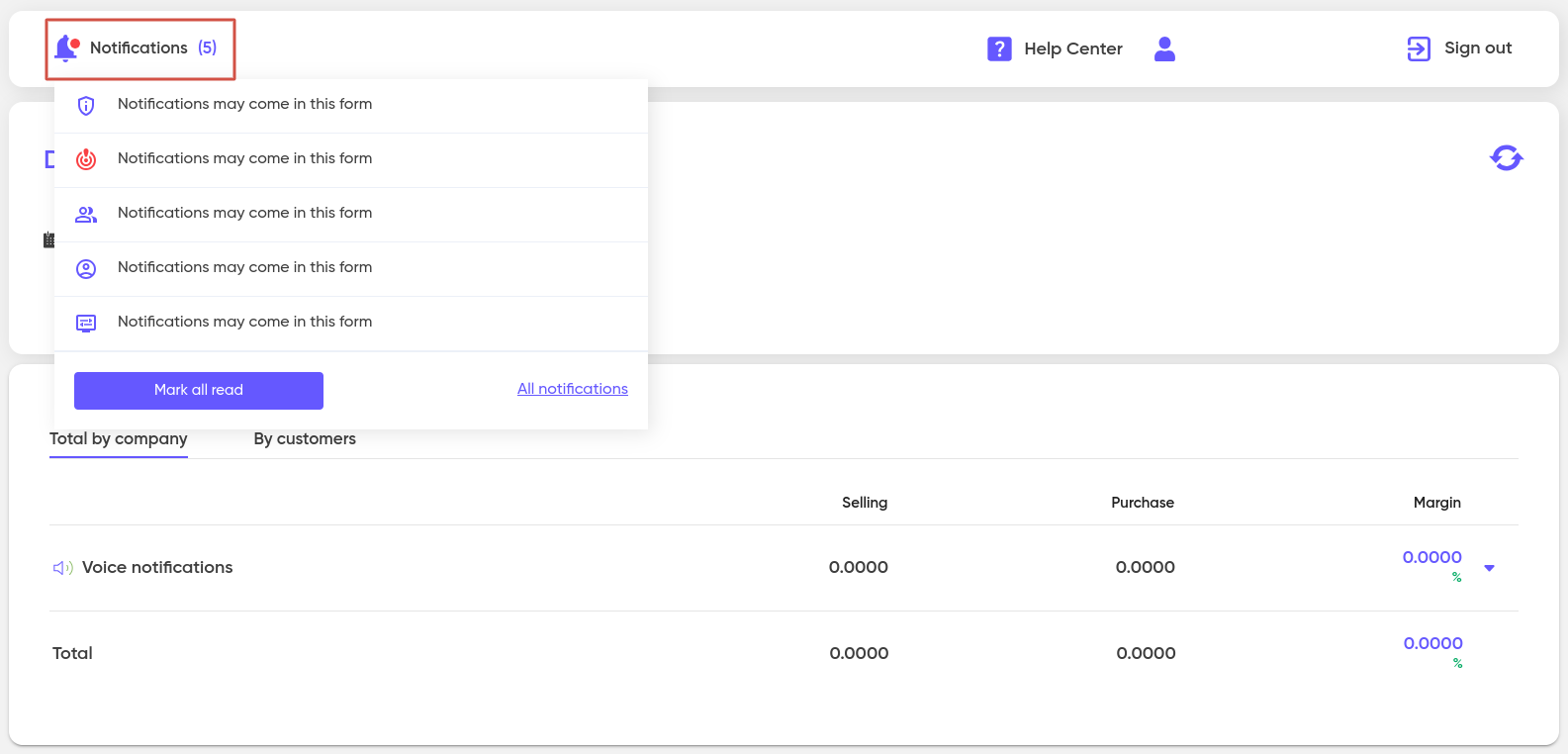
Notification options can be as follows:
- System;
- User;
- Group Mailing;
- Warning;
- Alarm.
Each notification can be marked with a specific tag (subject).
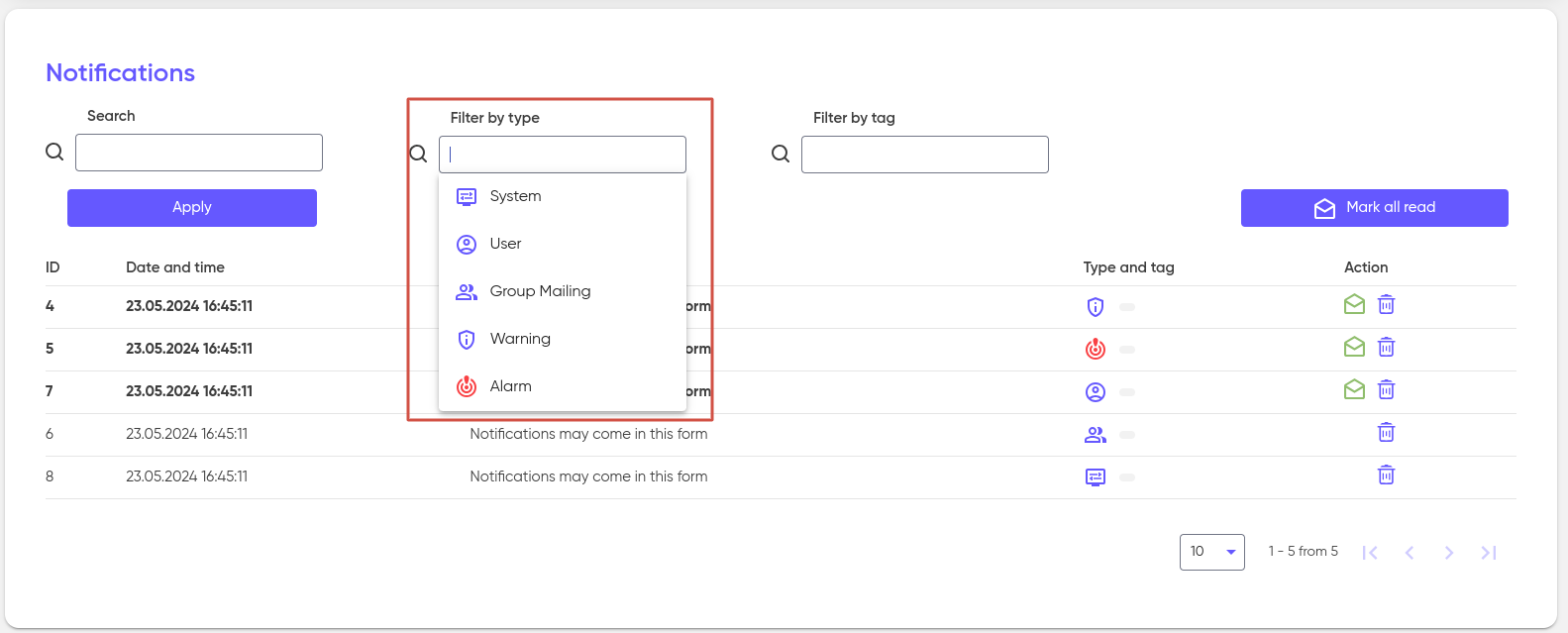
The Notifications window is a regular list of your notifications, which contains:
- In the «Action» column, you will see icons for performing operations:
- «Read» (to mark the notification as read);
- «Delete»;
- To find the notification you need, you can use filters:
- In the «Search» field, enter the text to search for the content of the notification;
- Select the type and/or tag to filter the notifications;
- Double-click on the notification in the table to open it and read it;
- Use the «Mark all read» button to quickly mark all notifications as read.

On this page