Certificates
The Certificates section contains security certificates uploaded by the user to the system, which are necessary for transmitting HTTP requests to the external system, in cases where the Authorization type «Certificate» is set for the HTTP request block in the script.
For more information, see the HTTP Request block in the Script Builder section.
In order to upload the certificate to the system, go to the «Certificates» section in your personal account:
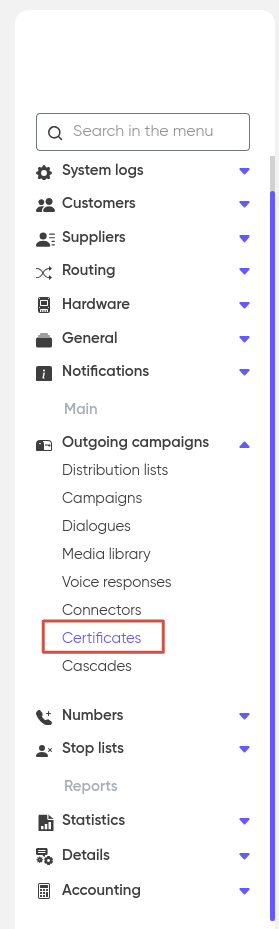
And click «+ Add»:

In the form that opens, fill in the fields Name (arbitrary), select the Customer for whom the certificate will be added, Password (for authorization when sending a request to an external system), Comment (optional) and attach the certificate file in the format.p12 or .pfx.
Click «Save».
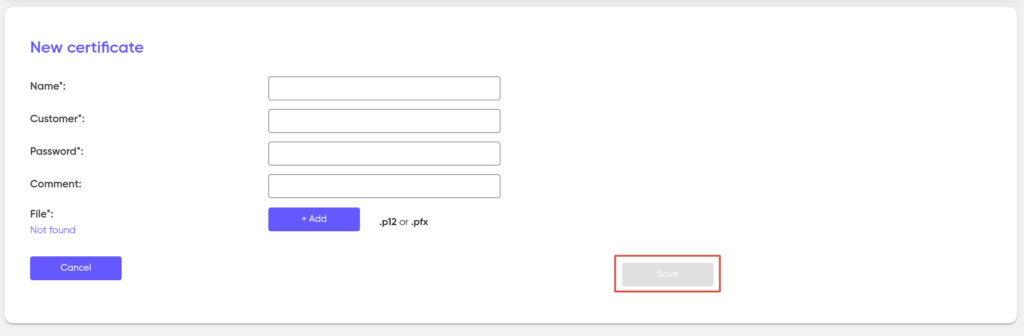
After that, the certificate will be available for selection in the properties of the HTTP request block in the script designer.